
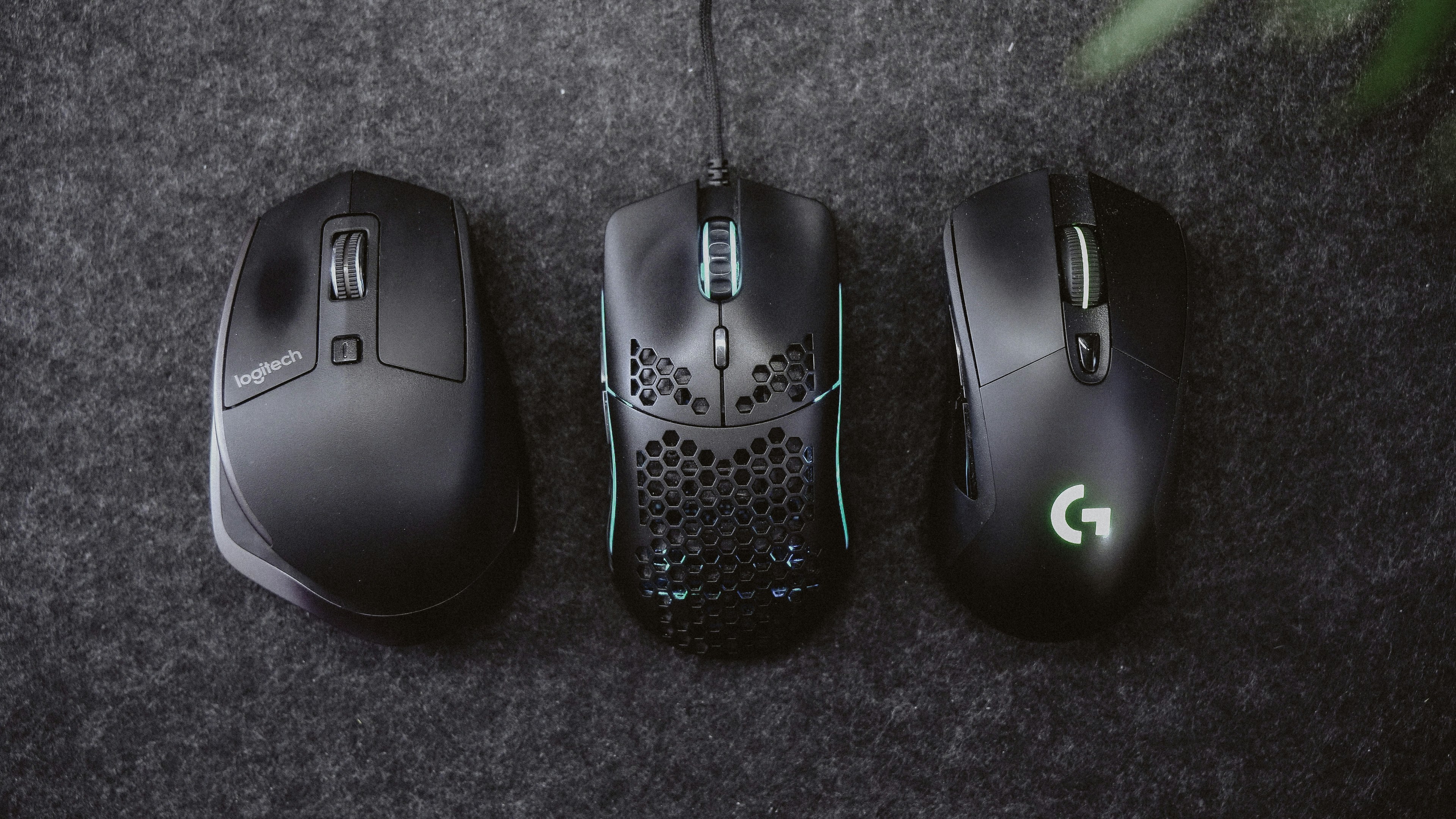
Introduction to Computer Mice
In today’s digital age, the significance of selecting the right computer mouse cannot be overstated. A computer mouse is not merely a peripheral device; it plays a crucial role in shaping an individual’s productivity, comfort, and overall user experience. For professionals in various fields, the right mouse can significantly enhance efficiency and effort in daily tasks, from precise graphic design to rapid data entry.
The ergonomic design of a well-chosen mouse can reduce physical strain, which is essential for users who spend long hours at their computers. A comfortable mouse aligned with the user’s hand can prevent fatigue and repetitive stress injuries, thus ensuring a smoother workflow and a healthier workstation. Furthermore, mice designed for specific tasks, such as gaming or creative software, offer tailored features that cater to specialized needs, enhancing both functionality and ease of use.
As technology evolves, the variety of computer mice available has expanded dramatically, providing users with choices that cater to different preferences, styles, and purposes. From wired to wireless, and from optical sensors to ergonomic shapes, the options can seem overwhelming. This guide will delve into specific use cases, valuable features to consider, and recommendations for the best computer mice available in 2026. Whether you are a gamer seeking high precision, a designer craving ultimate control, or a casual user looking for comfort, understanding the various types of mice and their functions will facilitate informed choices.
Best Mouse for Office Work and Productivity
Choosing the right mouse for office work is crucial for professionals who spend significant hours interacting with their computers. An optimal mouse enhances productivity through improved precision, comfort, and functional features. When selecting a mouse, it is essential to consider various key attributes that will positively impact your workflow.
One of the most critical features is the precision of the mouse, which is typically measured in DPI (dots per inch). A higher DPI allows for more accurate cursor movement, reducing the need for excessive hand movements. This is particularly important in detailed tasks such as graphic design or data entry, where pinpoint accuracy can expedite work and minimize errors.
Another important consideration is the number of programmable buttons. Mice designed for office environments often include additional buttons that can be customized to perform specific functions, thereby streamlining repetitive tasks. For example, a mouse with a dedicated button for copying or pasting can save time and energy, facilitating a smoother workflow.
Comfort is equally essential, especially for those who dedicate long hours to their desks. An ergonomic design that fits the natural contour of the hand can significantly reduce the risk of strain and injury. Many professionals overlook this feature in favor of aesthetics; however, a visually appealing mouse is not worth the discomfort it may cause in prolonged use.
It is also advisable to consider wireless options as they offer greater freedom of movement, reducing desk clutter. However, ensure that the battery life is sufficient for your daily use. In summary, prioritizing features such as precision, comfort, and functionality over mere looks can lead to enhanced efficiency and well-being in an office setting. Selecting the best mouse for office work will ultimately yield greater productivity and a more enjoyable computing experience.


Best Mouse for Remote Work and Home Offices
The rise of remote work has transformed the landscape of home office setups. As more professionals shift to working from home, the demand for high-quality accessories, particularly mice, has surged. The ideal mouse for remote work should combine effectiveness, comfort, and flexibility. Wireless capabilities emerge as a crucial feature, eliminating the clutter of cords and allowing for greater mobility within the workspace.
Battery life is another essential factor to consider. A reliable mouse requires minimal interruptions during work hours. Opting for rechargeable wireless mice or those with extended battery life can contribute to a seamless working experience. This capability ensures that remote workers can focus on their tasks without the concern of frequent recharging or changing batteries.
Comfort plays a critical role in choosing the best mouse for long hours of use. Ergonomically designed mice can reduce the risk of repetitive strain injuries, which are common among remote workers. A comfortable grip, adjustable sensitivity, and customizable buttons can enhance productivity, making these features vital in selecting a mouse suitable for home office environments.
When it comes to practicality, space is a significant consideration. Many home office setups may not allow for extensive equipment. Thus, a mouse that strikes the right balance between compact design and functionality is necessary. Features such as programmable buttons can help streamline workflows, while multi-device connectivity can cater to those who work across multiple computers or devices.
In conclusion, selecting the best mouse for remote work requires thoughtful consideration of wireless capabilities, battery life, comfort, and practicality. By prioritizing these aspects, remote workers can significantly enhance their productivity and comfort in the home office environment.


Best Mouse for Gaming
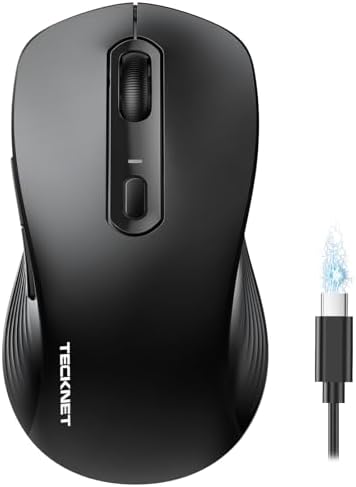
When selecting a mouse for gaming in 2026, it is imperative to consider key features that meet the specific demands of gamers. One of the most crucial aspects is sensor accuracy, as a high-precision sensor is essential for executing fast-paced movements and ensuring that every action is captured with minimal delay. Modern gaming mice are equipped with optical or laser sensors, offering a range of DPI (dots per inch) settings that can be adjusted in real-time to suit various gaming styles.
Customization options also play a pivotal role in the decision-making process. A gaming mouse should allow users to tailor button configurations, optimize sensitivity, and even set macros that provide a competitive edge in fast-moving gaming scenarios. These customizable features can significantly enhance overall gameplay, allowing players to respond swiftly and effectively to in-game challenges.
Another aspect to consider is performance under high speed. Gaming often involves rapid movements, and a mouse that can maintain accuracy amid swift actions without losing responsiveness is crucial. Additionally, ergonomics cannot be overlooked; a comfortable grip can prevent fatigue during extended gaming sessions, which is often a common issue for gamers.
Despite the importance of these factors, many gamers make the mistake of selecting a mouse solely based on aesthetics or brand loyalty rather than functionality. It is essential to conduct thorough research and, if possible, test various mice to find the ideal fit for personal preference and playstyle. In conclusion, the best gaming mouse for any individual will be one that combines sensor accuracy, customization options, DPI settings, and ergonomic design tailored to enhance overall gameplay experience.


Best Ergonomic Mouse for Long Work Sessions
In today’s digital age, many individuals find themselves spending extended hours in front of a computer. As a result, the ergonomic design of a computer mouse has become crucial for users who engage in prolonged activities that involve clicking, scrolling, and navigating through various applications. An ergonomic mouse is specifically tailored to fit the natural contours of the hand, thereby reducing the risk of discomfort or injury.
One of the key features to consider when selecting an ergonomic mouse is its shape. Mice that are designed with a contoured body often promote a more natural wrist position and minimize strain on the forearm. Additionally, mice that offer customizable designs can accommodate different hand sizes and grip styles, enhancing user comfort during long sessions. The inclusion of materials such as soft-touch plastic or rubberized grips also contributes to usability, as these materials provide added traction and reduce the likelihood of slippage during use, further emphasizing the importance of ergonomics.
Another essential feature of ergonomic mice is their design elements, which may include thumb wells, adjustable DPI settings, and programmable buttons. For those who work on graphic design or gaming, these features can significantly improve efficiency. However, it is important to note that there may be trade-offs involved; for example, highly specialized ergonomic designs may sacrifice compactness or portability, which could be a deciding factor for users who travel frequently.
Despite the benefits, it is crucial to remain aware of potential health issues associated with prolonged computer use, such as repetitive strain injuries (RSIs) and carpal tunnel syndrome. By selecting a well-designed ergonomic mouse, users can help prevent these common ailments, ensuring greater comfort and productivity during their work sessions.


Best Wireless and Portable Mouse for Travel
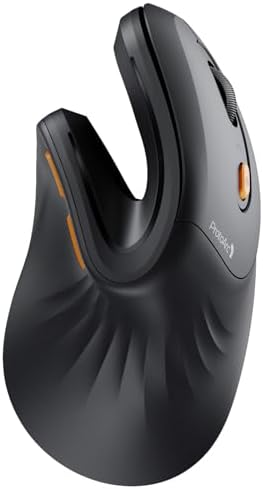
When selecting the ideal wireless and portable mouse for travel, several key features should be considered to enhance your user experience while on the move. First and foremost, a lightweight design is essential. A travel mouse should ideally weigh no more than a few ounces to ensure it does not add unnecessary bulk to your bag. This is particularly important for frequent travelers who already have to manage various other items in their luggage.
Compactness is another crucial factor to keep in mind. A portable mouse should be small enough to fit comfortably in your laptop bag or even your pocket. A mouse that can easily be slipped into a sleeve or pouch will save space and keep your gear organized, making it easier to access during your travels. There are many designs available that prioritize both ergonomics and size, allowing users to maintain comfort while avoiding the inconvenience of a larger mouse.
Battery life is also vital. Many advanced wireless travel mice utilize rechargeable batteries, offering convenience and sustainability. A wireless mouse with a long battery life can last several weeks on a single charge, which is particularly desirable for those who may not have regular access to charging ports while traveling. Moreover, the option for quick charging can be a significant advantage for busy professionals on the go.
While opting for a portable mouse has many benefits, there are certain limitations to consider. Smaller mice can sometimes compromise on features such as precision and functionality, which may be essential for tasks like graphic design or gaming. Additionally, the absence of physical buttons to accommodate additional functions can limit usability. Thus, it’s essential to balance size, performance, and comfort when selecting a travel mouse.

Best Budget-Friendly Mouse
When selecting a computer mouse that fits your budget, it is essential to balance cost with functionality. A budget-friendly mouse can still offer many features that enhance user experience, albeit with some trade-offs in quality and performance. While high-end models may boast advanced specifications, a good budget mouse can meet the basic needs of most users without breaking the bank.
Firstly, buyers should consider the type of mouse they require. Optical and laser mice are two popular options, and although laser mice typically provide better precision, an optical mouse can still achieve satisfactory performance for general tasks such as browsing and document work. Compatibility with your operating system is also crucial; ensure that the mouse is compatible with your device, as some budget options may not work seamlessly across all platforms.
Another important aspect to evaluate is ergonomics. Even budget mice come in various shapes and sizes, and selecting one that feels comfortable during prolonged usage is vital to avoid strain. Look for a mouse with an ergonomic design that fits your hand well, as this will enhance your productivity.
Additionally, examine the DPI (dots per inch) settings. A higher DPI allows for better responsiveness and precision, especially if you engage in activities like gaming or graphic design. While many budget mice offer adjustable DPI settings, it is important to note that performance at lower price points may not match that of a premium device.
Lastly, consider performance features such as wireless connectivity, battery life, and durability. While some budget mice may lack advanced features, finding one with reliable wireless functionality or robust build quality can add significant value. To find the best options, read customer reviews and comparisons to identify which budget mouse delivers the most performance for your needs.


Key Considerations When Choosing a Mouse
When selecting a computer mouse, several factors play a significant role in ensuring the best user experience. Understanding these key considerations will aid buyers in making an informed decision.
Firstly, ergonomics is essential. A well-designed mouse should fit comfortably in the user’s hand, especially for those who spend long hours on their computers. Features such as a contoured shape and textured grips can prevent strain and discomfort, making ergonomic design a top priority for extensive users.
Sensitivity, often measured in dots per inch (DPI), is another critical factor. A higher DPI generally results in greater precision and faster response. For gamers and graphic designers, a mouse with adjustable DPI settings is advantageous, allowing customization based on the task at hand. In contrast, general users may find a standard DPI sufficient for everyday tasks.
Another consideration is whether to choose a wired or wireless mouse. Wired mice typically offer lower latency and uninterrupted performance, making them a favorite among gamers requiring speed and precision. On the other hand, wireless mice provide more freedom of movement, reducing clutter on the desk. The choice between these options hinges on personal preferences and usage scenarios.
Additionally, battery life is important for wireless mice, as frequent charging can be a nuisance. Some models come equipped with rechargeable batteries or long-lasting ones, providing extended usage. Therefore, assessing the convenience and longevity of a wireless option can greatly influence the purchasing decision.
Finally, buyers should evaluate the overall value for money. Not all high-priced mice guarantee superior performance or features; thus, it is vital to balance cost against the specific functionalities needed. Considering customer reviews and ratings can also provide insights into how a particular mouse performs in real-world settings.
Conclusion and Final Buying Tips
As we bring this comprehensive buyer’s guide to a close, it is essential to highlight the significance of selecting the right computer mouse tailored to your unique needs. A quality mouse not only enhances your computing experience but can also improve productivity and comfort during prolonged usage. Factors such as ergonomics, sensitivity, and connectivity should play a pivotal role in your decision-making process. The variety of options available in the market makes it crucial to assess what features align with your specific requirements, whether for gaming, professional tasks, or casual use.
When considering an investment in a computer mouse, we recommend focusing on the fundamental aspects discussed throughout this guide: first, determine your primary use case. A gaming mouse, for instance, generally features advanced sensors and customizable buttons, while an office-oriented mouse prioritizes comfort and durability. Secondly, ergonomics cannot be understated; selecting a mouse that fits your hand comfortably can prevent strain and increase efficiency.
It is advisable to explore the latest best sellers, as consumer reviews can provide insight into how well a particular model performs in real-world conditions. Comparing different models, considering factors such as battery life, connectivity type—wired or wireless—and additional features can also aid in making an informed choice. Ultimately, investing time into research and applying the insights from this guide will allow you to select the best computer mouse that meets your needs and maximizes your device’s potential.
